
Best Free Video Editing Software

Best Free Video Editing Software in 2026

🧠 Introduction:- Best Free Video Editing Software in 2026

Video editing has become a must-have skill in 2026 β€” whether you’re a content creator, student, business owner, or social media enthusiast. But not everyone can afford expensive software like Adobe Premiere Pro or Final Cut Pro.

Good news: There are powerful FREE video editing tools in 2026 that are beginner-friendly yet packed with pro-level features.

In this guide, we’ll explore the best free video editing software, their features, pros & cons, and who they’re best for.

🎯 What to Look for in Free Video Editing Software (2026)

Before we dive into the list, here’s what you should consider:

βœ… Easy to use
βœ… Supports 1080p / 4K video
βœ… Multi-platform (Windows, Mac, Mobile)
βœ… Effects, transitions, and export options
βœ… No watermark on final videos

πŸ† Top Best Free Video Editing Software in 2026

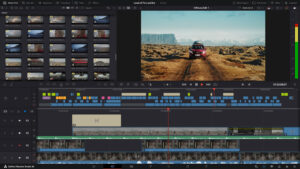
1️⃣ DaVinci Resolve (Free)
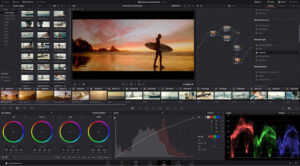
Free Video Editing Software Best Free Video Editing Software

Platform: Windows, Mac, Linux
Best For: Advanced editing, color grading, professional content

Features:

  • Hollywood-grade color correction

  • Multicam editing

  • Powerful timeline tools

  • Audio editing built-in

Pros:
βœ” Pro features for free
βœ” Excellent color tools
βœ” Supports 4K

Cons:
❌ Steeper learning curve
❌ Needs powerful hardware

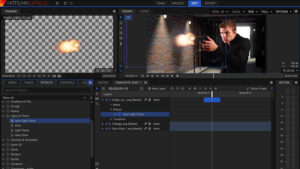
2️⃣ Hit-Film Express
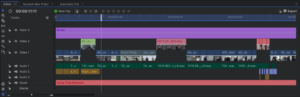
Best Free Video Editing Software Best Video Editing Software Best Free Video Editing Software

Platform: Windows, Mac
Best For: Special effects & YouTubers

Features:

  • Built-in VFX library

  • Film-style presets

  • 3D compositing tools

Pros:
βœ” Great for effects
βœ” Regular free updates
βœ” Good for beginners

Cons:
❌ Some features paid add-ons

3️⃣ Cap-Cut (Free)

Platform: Mobile (iOS & Android), Desktop
Best For: Short videos, Reels & TikToks

Features:

  • Auto captions

  • Trend audio

  • Easy timeline edits

Pros:
βœ” Simple interface
βœ” Great for social media
βœ” No watermark

Cons:
❌ Basic for advanced pro editors

4️⃣ VSDC Free Video Editor

Platform: Windows only
Best For: Windows users with intermediate skills

Features:

  • 4K export

  • Motion tracking

  • Video stabilization

Pros:
βœ” Powerful features for free
βœ” Light on hardware

Cons:
❌ Interface can feel outdated

5️⃣ Shotcut (Open-Source)

Platform: Windows, Mac, Linux
Best For: Open-source lovers & beginners

Features:

  • No watermark

  • Wide codec support

  • Clean interface

Pros:
βœ” Truly free & open source
βœ” Frequent updates
βœ” Easy learning curve

Cons:
❌ Fewer advanced features than others

πŸ“Š Comparison Table (2026 Ready)

Software Platform Watermark 4K Ease of Use Best For
DaVinci Resolve Win/Mac/Linux ❌ βœ” Moderate Pro Editing
HitFilm Express Win/Mac ❌ βœ” Beginner VFX & YouTube
CapCut Mobile/Desktop ❌ βœ” Very Easy Short Social Videos
VSDC Windows ❌ βœ” Moderate Intermediate
Shotcut Win/Mac/Linux ❌ βœ” Easy Beginners/Open Source

πŸ’‘ Which One Should You Choose?

βœ” Beginners & quick social videos: CapCut
βœ” YouTubers & effects enthusiasts: HitFilm Express
βœ” Professionals & filmmakers: DaVinci Resolve
βœ” Windows users on a budget: VSDC
βœ” Open-source supporters: Shotcut

πŸ“Œ Tips for Better Video Editing in 2026

πŸ“Œ Plan your shots before editing
πŸ“Œ Use royalty-free music
πŸ“Œ Keep transitions smooth
πŸ“Œ Don’t overuse effects
πŸ“Œ Export in at least 1080p

πŸ“ˆ Frequently Asked Questions

Q1: What is the best free video editing software in 2026?
DaVinci Resolve and Cap-Cut are the most powerful free editors in 2026.

Q2: Which editing tool is best for beginners?
CapCut and Shotcut are beginner-friendly.

Q3: Can I export without watermarks for free?
Yes β€” all tools above let you export without watermarks.

πŸš€ Final Thoughts

Free video editing tools have become seriously powerful in 2026. Whether you’re editing a short reel or a high-end project, there’s a tool for every skill level β€” and you don’t need to pay a penny.

Start editing today, level up your skills, and bring your story to life! 🎬✨

Read More Articles: How to Delete Snapchat Account

Leave a Reply

Your email address will not be published. Required fields are marked *